Archiving old projects allows you clean up the Pipeline screen without deleting anything. When you archive a project, it stores the project in their original state and moves it to a separate storage for long-term retention. There is no longer a need to change the Project Status on old projects. Think of this as putting them in a filing cabinet for safekeeping.
1) Ensure that your user role allows for archiving. If it doesn’t, you will still be able to edit projects, but will not be able to move them in/ out of archive.

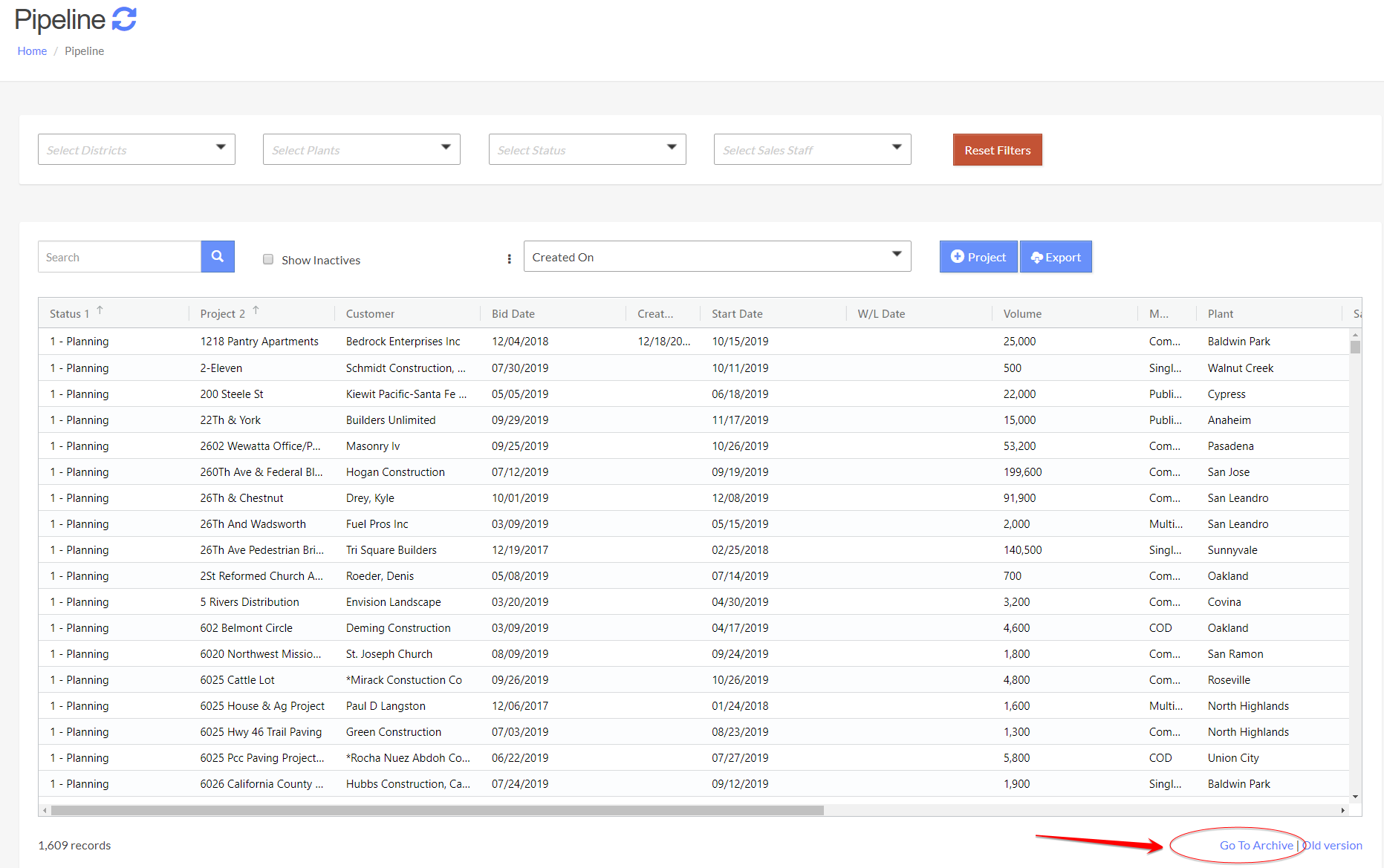
2) On the bottom right corner of the Pipeline page, click on [Go To Archive] to see all archived projects.
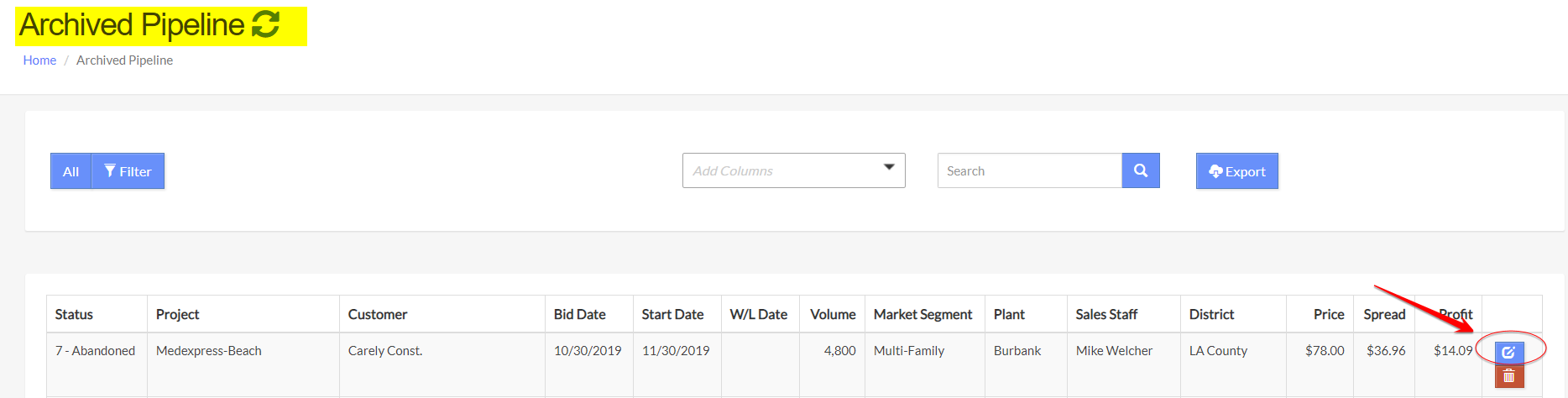
3) To move a project out of Archive, click on the [Edit] icon on the Archived Pipeline page.
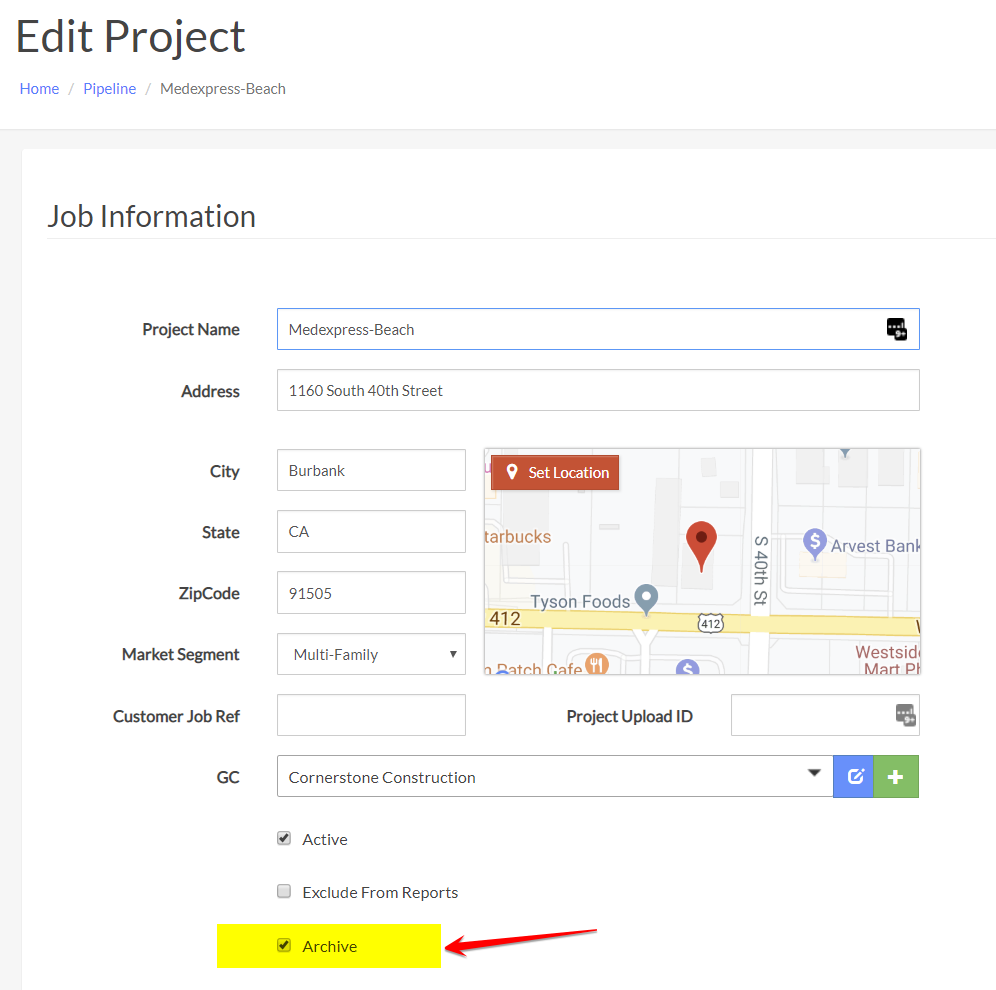
4) On the Edit Project page, un-check the ‘Archive’ box and Save Changes.
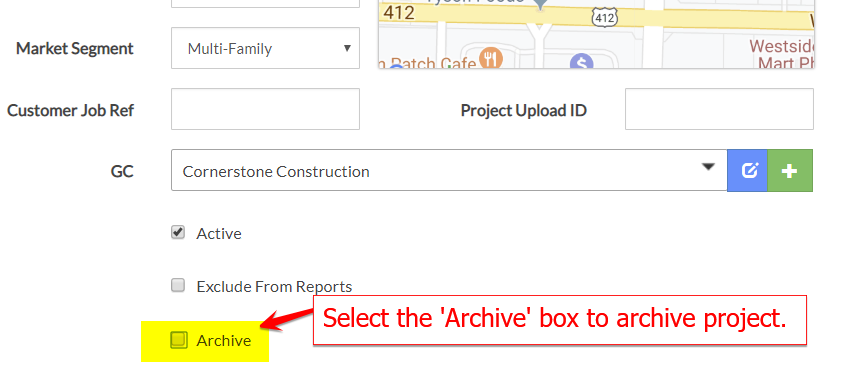
5) To archive a project, check the ‘Archive’ box and Save Changes.
If you have any questions, suggestions, or would like to archive projects in bulk, please contact me!
Was this article helpful?
That’s Great!
Thank you for your feedback
Sorry! We couldn't be helpful
Thank you for your feedback
Feedback sent
We appreciate your effort and will try to fix the article