Say hello to CRM! We're thrilled to introduce a brand-new suite of relationship-management tools built right into Sales Insight. For the first time, your customers, contacts, notes, and follow-ups all live in one place, right alongside the quoting work you do every day. No more juggling spreadsheets or bouncing between a separate CRM: from the moment you sign in, you'll see exactly what's bidding, what's due, and who to follow up with. We can't wait for you to try it. Here's everything that's new:
New Features
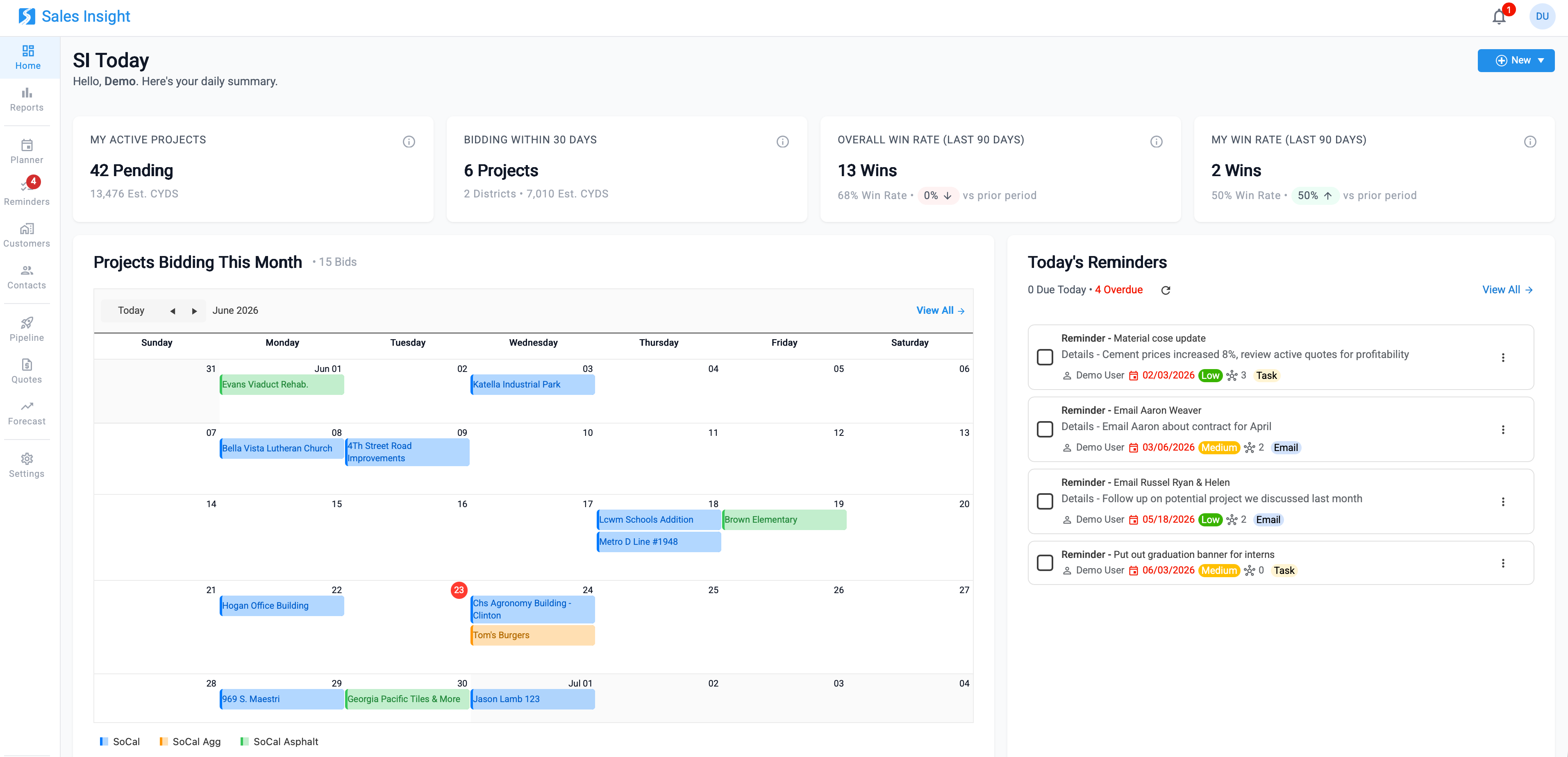
- New Home Dashboard: The home page now opens to a personalized daily summary the moment you sign in. At-a-glance cards show your active projects and estimated CYDS, the projects bidding within the next 30 days, and your win-rate trends, both company-wide and your own, compared to the prior period. A "Projects Bidding This Month" calendar lays out upcoming bids by district, and a "Today's Reminders" panel surfaces what's due today and what's overdue so you can act on it without leaving the page.
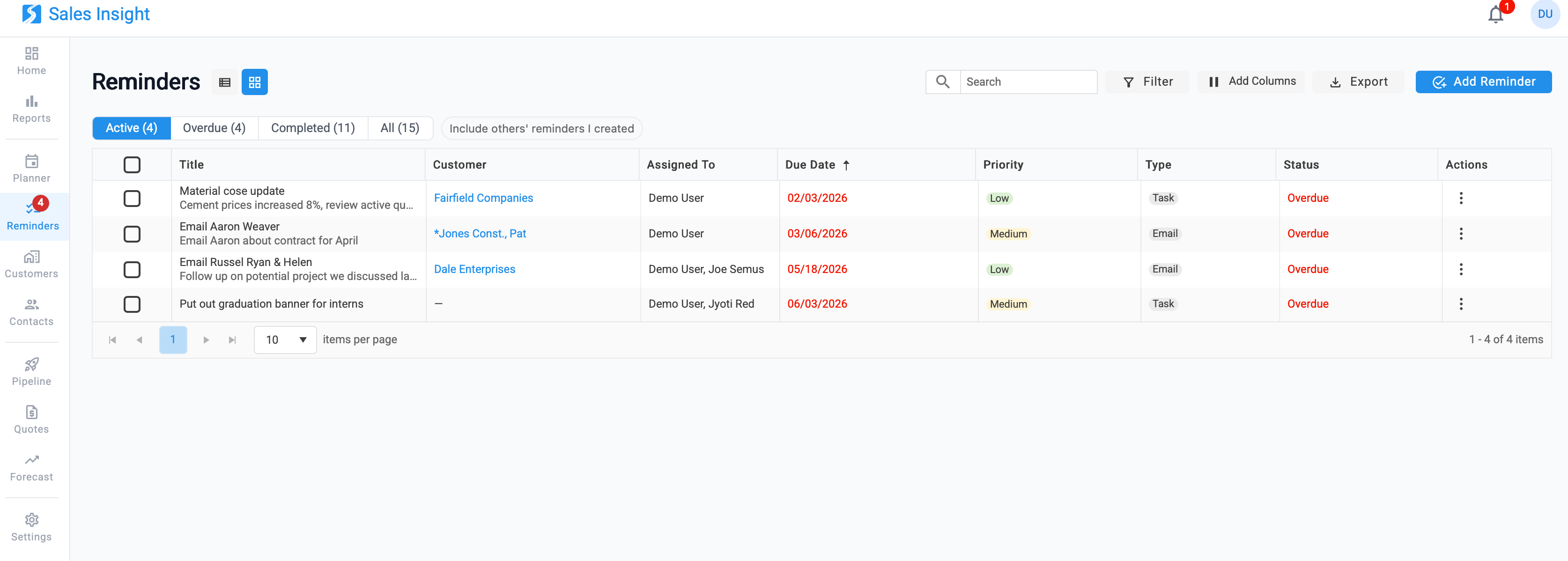
- New CRM Reminders: A dedicated Reminders workspace for creating, assigning, and tracking follow-ups. Each reminder can be linked to a customer, given a priority (High, Medium, Low), a type (Call, Email, Task, or Other), and assigned to one or more team members.
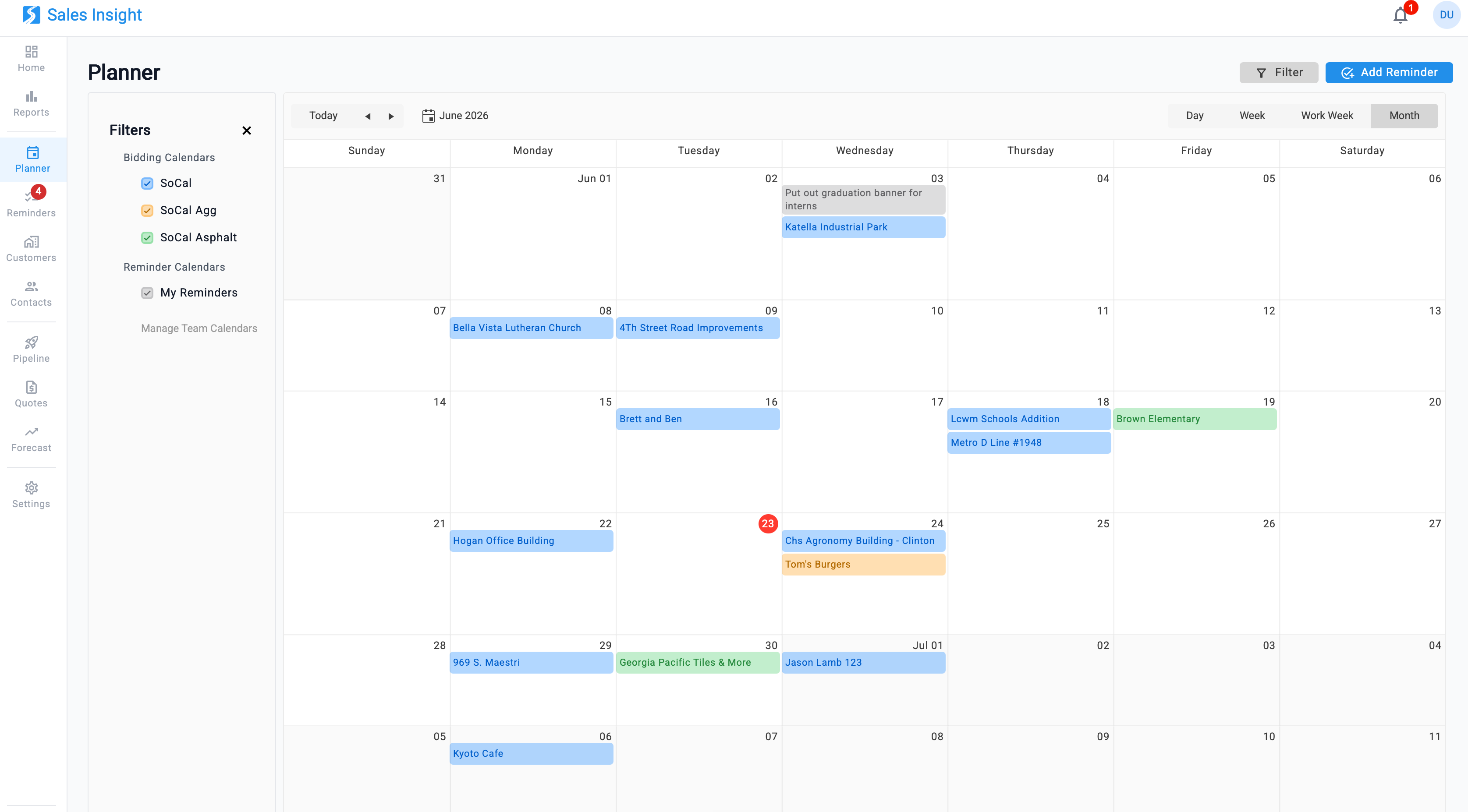
- New Planned Calendar: A unified calendar that brings your bidding projects and team reminders together in one view. Toggle between Day, Week, Work Week, and Month layouts, and use the calendar filters to show or hide individual bidding calendars (such as ReadyMix, Aggregates, and Asphalt) and each team member's reminders, all color-coded for quick scanning.
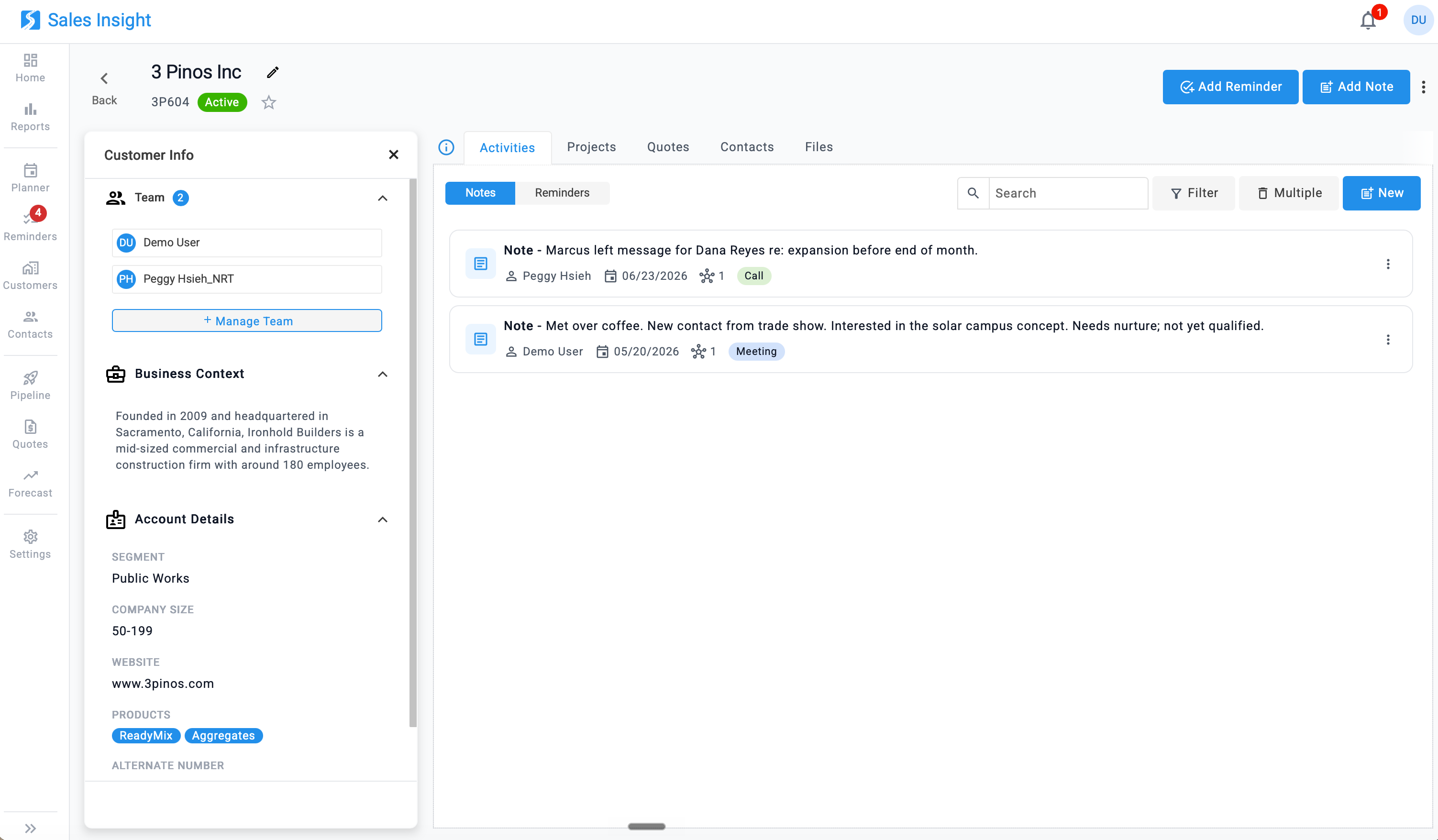
- New CRM Notes: Capture and review your interaction history directly on customer and contact records. Notes appear in a chronological feed under the record's Activities tab, each stamped with its author and date and tagged by type (Site Visit, Call, Meeting, and more) for a searchable, filterable account of every touchpoint. Add a note straight from the record, or from the quick-add button on the Customers and Contacts lists.
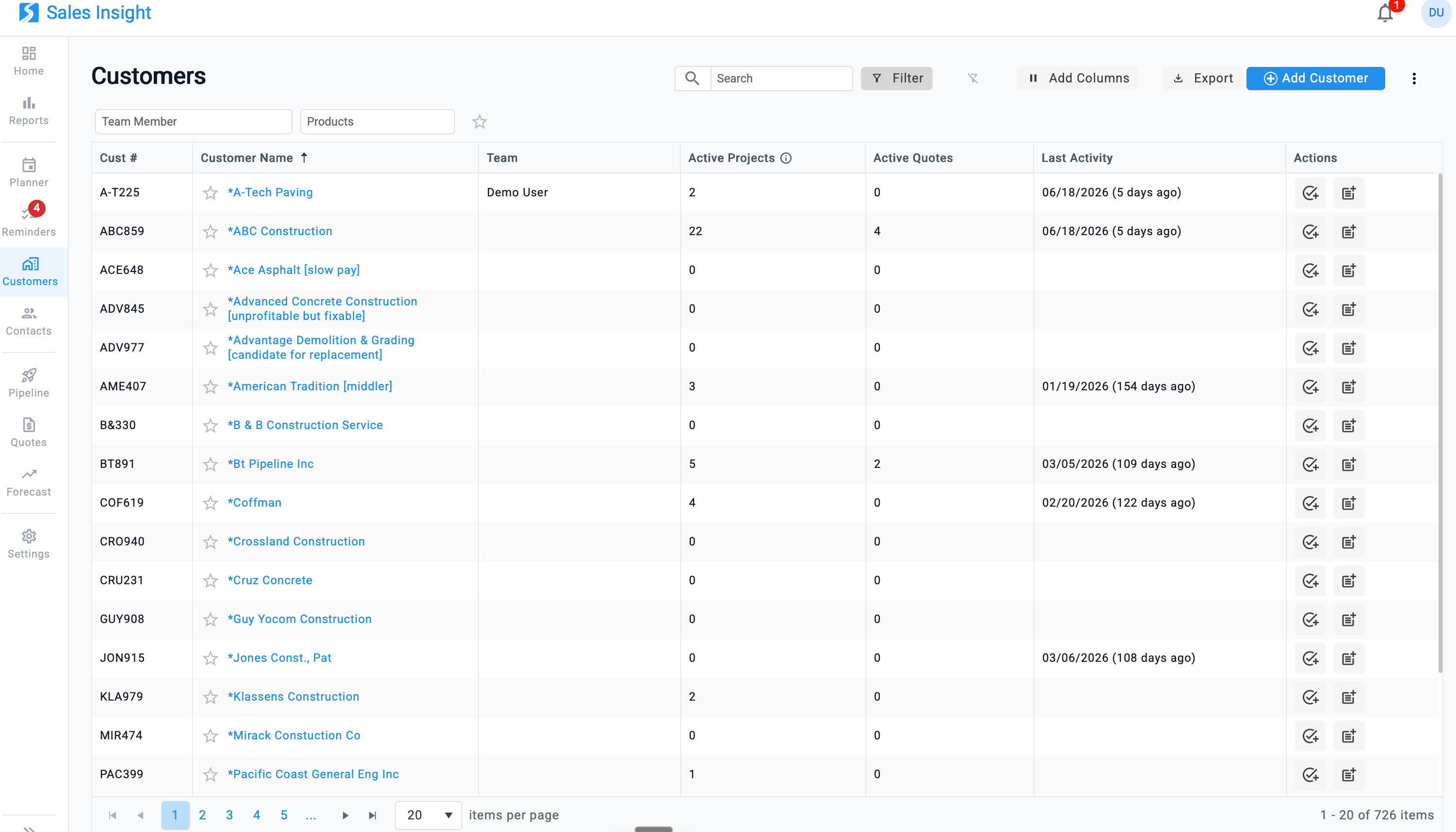
- Redesigned Customer & Contact Management: Both offer fast search, filtering (by team member, products, last activity, and favorites), customizable columns, and export, plus the ability to star the accounts and contacts that matter most. Opening a customer reveals a full profile in one place.
As always, please let me know if you have any follow-up questions.
Was this article helpful?
That’s Great!
Thank you for your feedback
Sorry! We couldn't be helpful
Thank you for your feedback
Feedback sent
We appreciate your effort and will try to fix the article